How to Remove Music from a Video but Keep the Voice
There’s music in your clip and you want it gone, but you need to keep the voice. Maybe it’s a song that was playing while someone talked, a backing track that’s fighting the narration, or music a client wants swapped. The obvious move, muting or cutting the audio, takes the voice with it. You need to separate the two.
Why you can’t just turn the music down
The music and the voice are mixed into one recording. There aren’t two tracks to balance, there’s a single waveform with both sounds baked in. A volume fader moves all of it together. EQ can dip the frequencies where the music sits, but voices and music share a lot of the same range, so you dull the voice trying to chase the song.
To keep one and lose the other, something has to take the recording apart.
What pulls them apart
AI source separation is built for this. It’s trained to recognize music as one thing and voice as another, and split a mixed recording into its parts. Pull the music out, keep the voice, or the other way around.
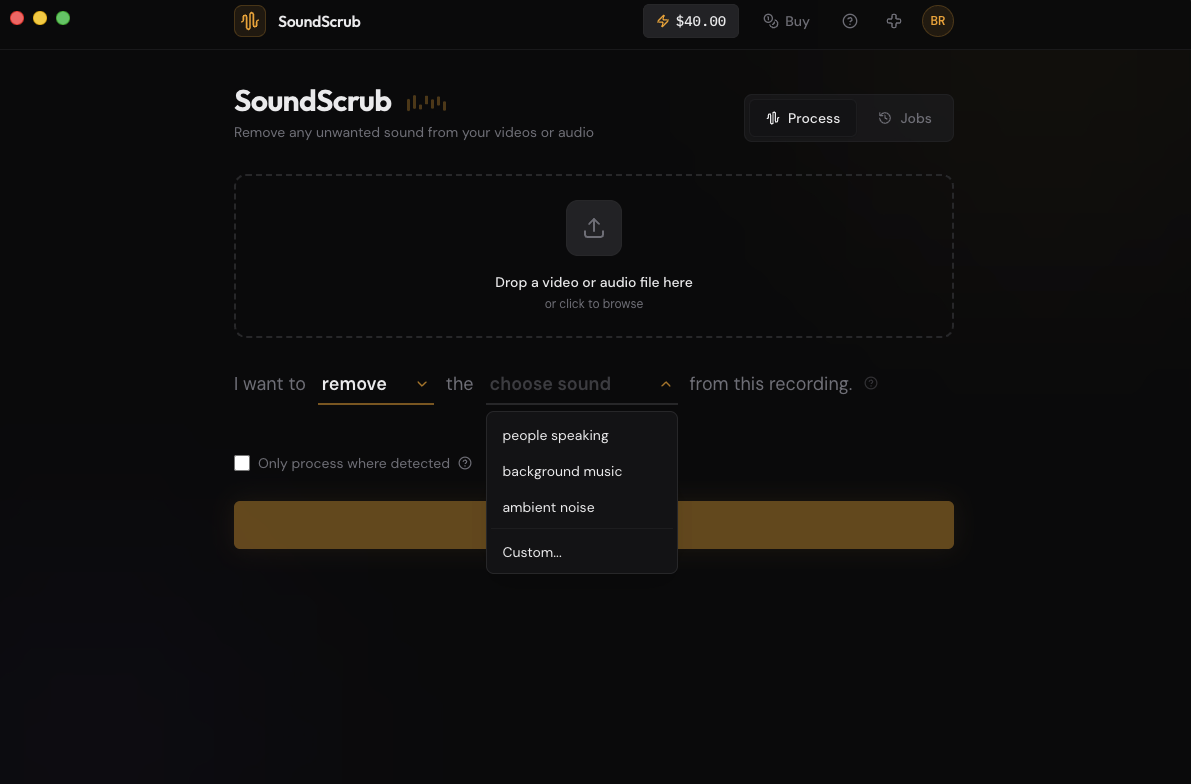
SoundScrub is a desktop app that does it. You drag a video or audio file onto it, hit Remove, pick “background music”, and it hands the file back with the music stripped and the voice intact. If the voice is the cleaner thing to describe, flip it: pick Keep, select “people speaking”, and it isolates the voice and drops everything else.
It’s not limited to music. Remove a sound effect, a single instrument, an alarm going off. You name what you want gone and it targets that. No plugin to install, no subscription. $0.25 per 30 seconds when you use it.
Fitting it into your edit
This works alongside any editor, since it runs as its own app. Export the clip as a video, drop it into SoundScrub, and you get the same video back with the music gone and the voice intact. Reimport it and drop it in place of the original. The audio is already swapped in, so there’s no track to mute by hand, and you lose nothing on quality.
Weighing a dedicated stem splitter for this? See SoundScrub vs LALAL.AI.