How to Remove Background Noise from a Video
You recorded something good and the background ruined it. An air conditioner droning, a fridge humming, a fan, traffic through the window, people murmuring in the next room. The footage is fine. The audio is the problem, and you can’t shoot it again.
How hard this is to fix depends on what kind of noise it is.
Steady noise is the easy case
If the noise is constant, a hum or a hiss that never changes, most tools can knock it down. Audacity does it for free: you select a slice where only the noise plays, let it learn that profile, then apply it to the whole clip. Every video editor has a version of this too, usually called Noise Reduction. It samples the steady part and subtracts it.
This works because steady noise is predictable. The tool learns its shape once and removes that shape everywhere.
Changing noise is where it falls apart
The trouble starts when the noise moves. A bus passing by, a dog barking now and then, a crowd, wind in gusts, someone talking behind you. There’s no single steady profile to learn, so noise reduction either misses it or starts eating the parts of the audio you wanted to keep. Push the slider harder and the voice goes underwater and metallic.
This isn’t a noise-reduction problem anymore. It’s a separation problem. You need a tool that can tell the difference between the sound you want and the sound you don’t, and pull them apart.
Where SoundScrub comes in
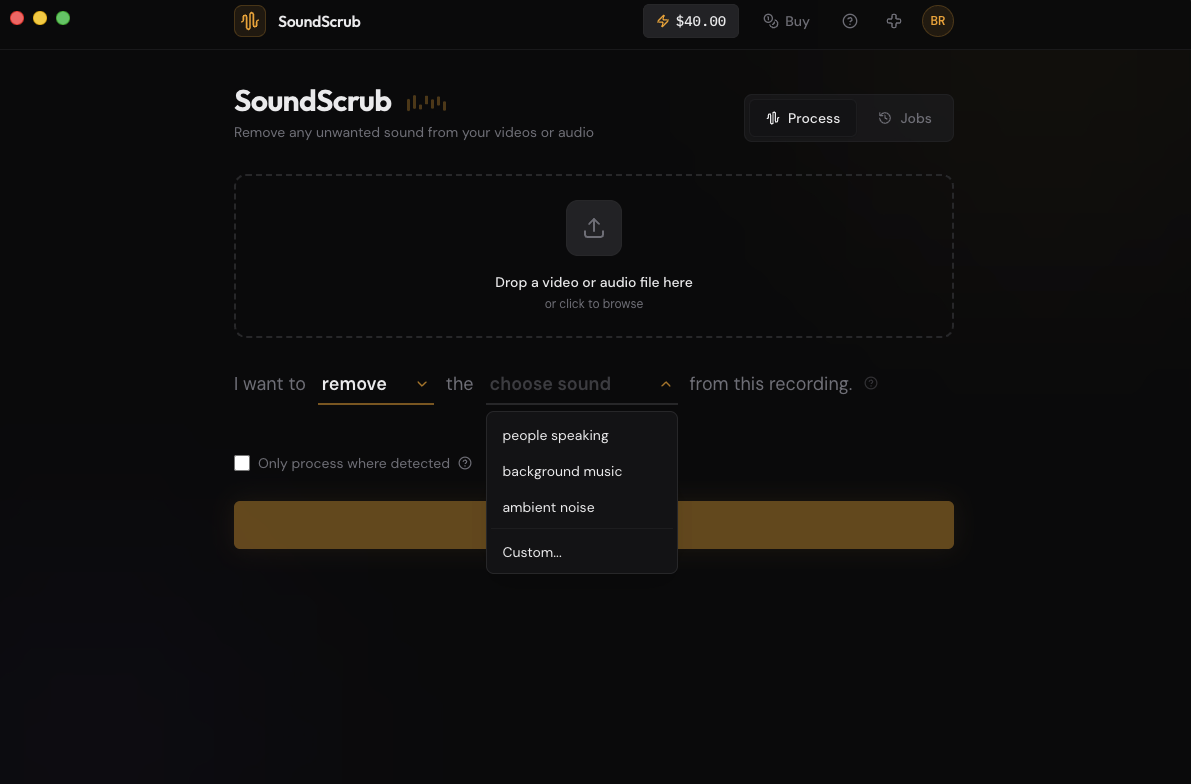
SoundScrub is a desktop app that does AI source separation. You drag a video or audio file onto it, name the sound you’re dealing with, and it gives you the file back with that sound gone and the rest intact.
The difference from a noise slider is that you tell it what the noise is. Type “traffic” and it goes after traffic. “People speaking” for the murmur behind you. “Dog barking”, “car horn”, “keyboard typing”. It targets that sound specifically instead of guessing from a quiet sample, which is why it holds up when the noise keeps changing.
You can also flip it around. If the noise is hard to describe but the thing you want is simple, pick Keep and name that instead. “Keep people speaking” holds onto the voice and drops everything else, however messy the background is.
No plugin to install, no chain to manage. It’s pay-as-you-go: $0.25 for every 30 seconds, no subscription.
Getting it done
Export the clip as a video from your editor. Drop it into SoundScrub and you get the same video back with the noise gone and the rest of the audio left alone. Reimport it and drop it on your timeline in place of the original. The audio is already swapped in, so there’s no track to mute by hand, and the quality matches what you exported.
Prefer an all-in-one editor instead of a single-purpose tool? See SoundScrub vs Descript.