How to Remove Background Music from a Premiere Pro Clip
You’re cutting in Premiere and a clip has music under the dialogue. Something playing in the room, a busker across the street, a radio in the car. You can’t reshoot it, and you need the voice without the song. Premiere has a few audio tools that sound like they’d do this. Most of them won’t.
What Premiere gives you out of the box
Enhance Speech is the one people reach for first. It’s AI, it lives in the Essential Sound panel, and it does a real job on dialogue: it strips room tone, reverb, and background hiss off a voice. But it’s built to clean a voice, not to separate two sounds. Feed it dialogue with a song underneath and it’ll thin the music a little while degrading the voice. It was never meant to pull a track out.
The Essential Sound panel itself has a Dialogue tag with a Reduce Noise slider. Same story. It pushes steady background down so the voice sits clearer, but the music stays in the mix, quieter.
The part that catches people out is that Premiere has no stem separation. Nothing native splits a recording into voice and music the way a dedicated model does. The Essential Sound tools clean what’s there. They don’t take it apart.
The plugins people install
So editors go looking for plugins. There are third-party VSTs that attempt stem separation inside Premiere or Audition, but the results are hit and miss, and you’ll often hear bits of music still clinging to the dialogue. The dedicated desktop tools like iZotope RX do it properly, but RX is $400+ and a lot of software to learn for a problem you hit now and then.
Where SoundScrub comes in
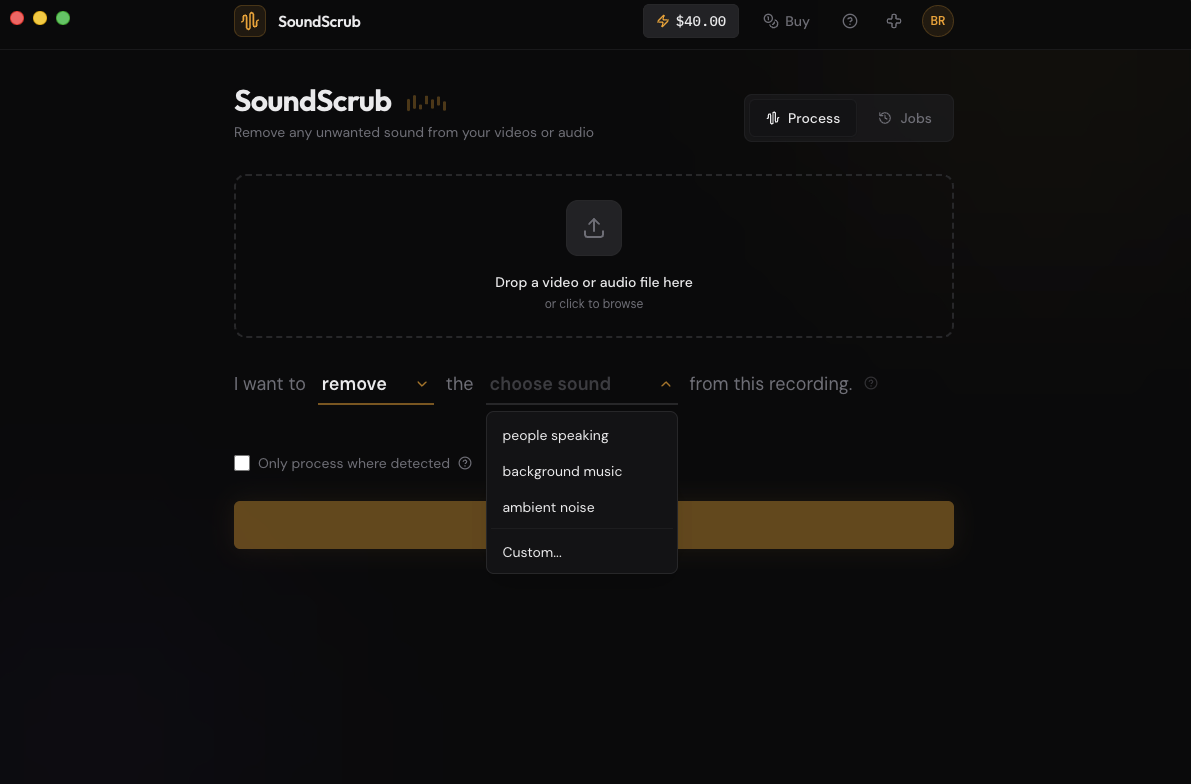
SoundScrub is its own desktop app, not a plugin. You drag a video or audio file onto it, pick what to remove or keep, and it hands you back the file with the new audio. It does the one thing Premiere’s built-ins can’t: it separates the sounds.
Premiere has no native way to do this, so this isn’t about saving money on a tier. It’s the missing step. Drag the clip in, hit Remove, pick “background music”, and you get it back with the voice intact.
It also works on anything, not just voice. Remove a dog barking but keep the music, pull a passing siren out of a street scene, or take out a phone that rang mid-take. You type what you want gone, and that’s what it removes.
And there’s no plugin to babysit. Nothing to install into Premiere, no license seat, no chain to keep updated. Pricing is per use, $0.25 for 30 seconds, no monthly fee.
Getting the clip in and out
A panel that does this inside Premiere is in the works. If you’d rather not leave your timeline, join the waitlist for the Premiere plugin. For now, here’s the round trip with the desktop app.
Export the clip as a video with File > Export > Media. Drop it into SoundScrub and you get the same video back with the music gone. Reimport it through the Project panel and put it in place of the original clip. The audio is already swapped in, so there’s no track to mute by hand, and the quality matches what you exported.