How to Remove Background Music from a DaVinci Resolve Clip (Free and Paid Options)
You’re editing in Resolve and one clip has music sitting under the dialogue. A café playlist, a car stereo, whatever was playing when you hit record. You can’t reshoot it, and the music won’t peel off the voice on its own. Here’s what works and what doesn’t.
What Resolve gives you out of the box
The good tool is Voice Isolation. It’s AI, it pulls the voice out from under noise and music, and it works well. Two catches. It’s Studio-only, so the free version doesn’t have it and you’d pay $295 to upgrade. And it only runs one way: it keeps the voice and drops everything else. If you want to keep the music and remove something else, it can’t. It also slips when several people talk over each other or the background is busy.
Dialogue Leveler ships with free Resolve, but it doesn’t remove anything. It raises the dialogue and lowers the background so the voice comes through. The music is still there, just quieter.
The Fairlight FX effects (Noise Reduction, De-Hummer, De-Esser) deal with steady hum and hiss. They won’t separate a song from a voice when both are baked into the same recording.
So if you’re on Studio and you just need the voice clean, use Voice Isolation, it’s the right tool. If you’re on free Resolve, or you need to go after one specific sound instead of just keeping the voice, you’ve hit the wall.
The plugins editors install
For heavier work people add third-party tools. iZotope RX is what the pros use, and it’s great, but it’s $400+ and overkill if you only run into this now and then. Waves Clarity VX is cheaper, but on Apple Silicon it won’t run native, so you have to launch Resolve under Rosetta to load it. Either way you’re installing a plugin, managing a license, and keeping it updated.
Where SoundScrub comes in
SoundScrub is its own desktop app, not a plugin. You drag a video or audio file onto it, pick what to remove or keep, and it hands you back the file with the new audio. It covers the gaps Resolve’s built-ins leave.
The obvious one is free Resolve. It doesn’t have Voice Isolation, and you’d need to buy Studio for $295 to get it. With SoundScrub you don’t. You drag the clip in, hit Remove, pick “background music”, and get it back with the voice intact.
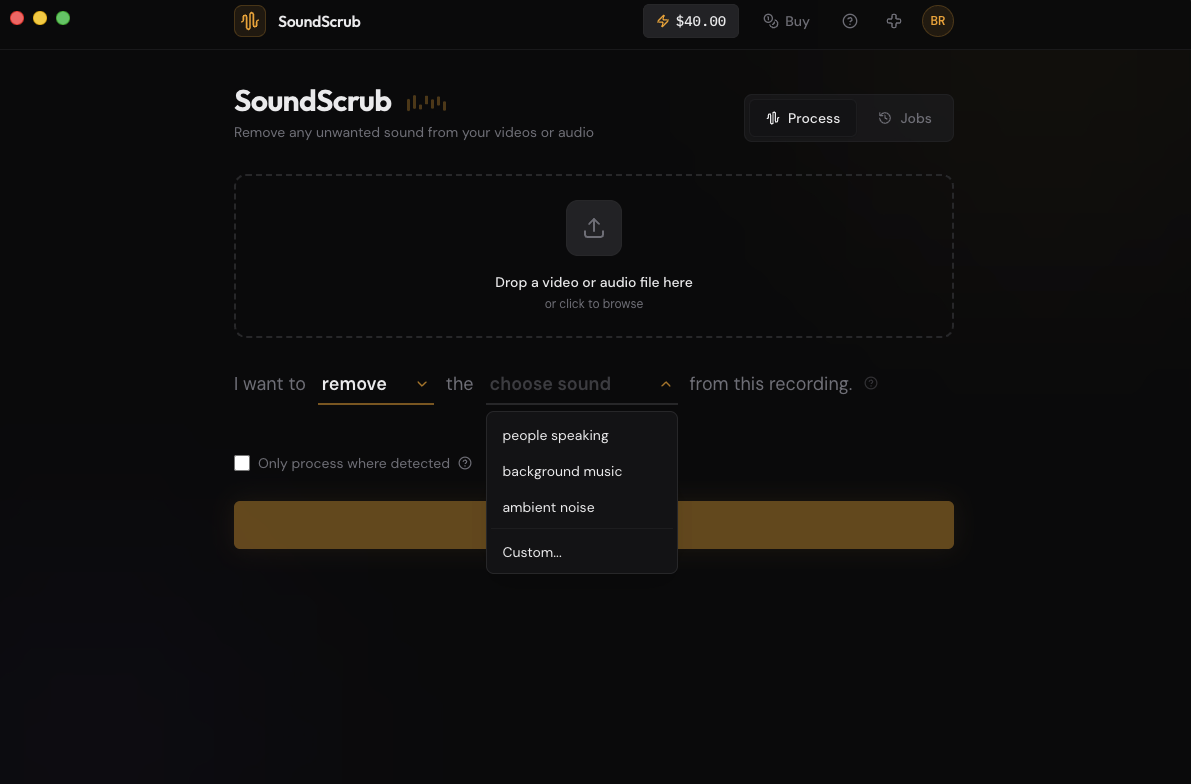
It also goes where Voice Isolation can’t. Voice Isolation only does one thing: keep the speech and drop the rest. SoundScrub lets you name the sound instead, so you can remove a dog barking but keep the music, pull a passing siren out of a street scene, or take out a phone that rang mid-take. You type what you want gone, and that’s what it removes.
And there’s no plugin to babysit. Nothing to install, no Rosetta, no license seat. You pay $0.25 per 30 seconds when you use it and nothing when you don’t.
Getting the clip in and out
A panel that does this inside Resolve is in the works. If you’d rather stay on your timeline, join the waitlist for the DaVinci Resolve plugin. For now, here’s the round trip with the desktop app.
Render the clip as a video from the Deliver page, or use Quick Export. Drop it into SoundScrub and you get the same video back with the music gone. Reimport it through the Media page and drop it in place of the original clip. The audio is already swapped in, so there’s nothing to mute by hand, and the quality matches what you rendered.